---
title: Paytient + LCMC, A New Employee Benefit
description: Welcome! Paytient is your new way to pay for your out-of-pocket healthcare expenses over time.
---

![lcmc paytient co logo](https://pages.paytient.co/hubfs/lcmc%20paytient%20co%20logo.png)

# Let's make paying for care healthier.

###### In partnership with LCMC Health, Paytient is your new, always interest-free way to pay for your care over time.

## Scroll to learn more or click to jump to:

[ Where can I use Paytient? ](https://pages.paytient.co/member-lcmc-plus#section-6)

![pricing-1](https://pages.paytient.co/hs-fs/hubfs/pricing-1.png?width=2000&height=2000&name=pricing-1.png "pricing-1")

![piggy bank icon](https://pages.paytient.co/hs-fs/hubfs/piggy%20bank%20icon.png?width=38&name=piggy%20bank%20icon.png)

#### Interest-Free

Pay exactly what you use on the Paytient card, and not a penny more.

![wallet icon](https://pages.paytient.co/hs-fs/hubfs/wallet%20icon.png?width=34&name=wallet%20icon.png)

#### No Credit Check

Your credit amount is set by your Paytient sponsor, which means there are no fees or credit check to access your account.

![custom payment plans icon](https://pages.paytient.co/hs-fs/hubfs/custom%20payment%20plans%20icon.png?width=38&name=custom%20payment%20plans%20icon.png)

#### Custom Payment Plans

You can set your own custom payment plan for each individual transaction.

##### H O W   I T   W O R K S

# Swipe. Click. Split.

## Swipe your Paytient card to pay for out-of-pocket care expenses.*

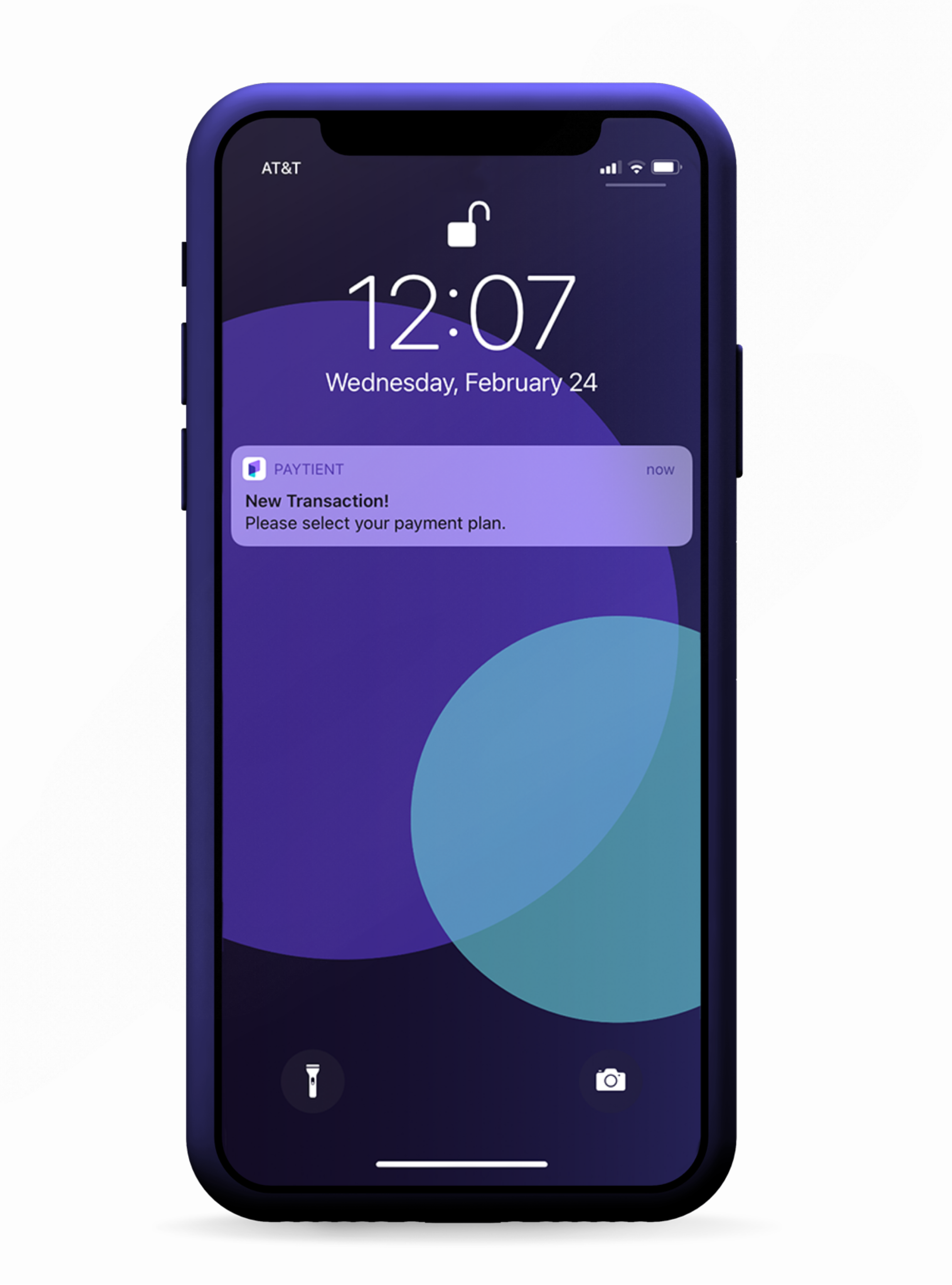
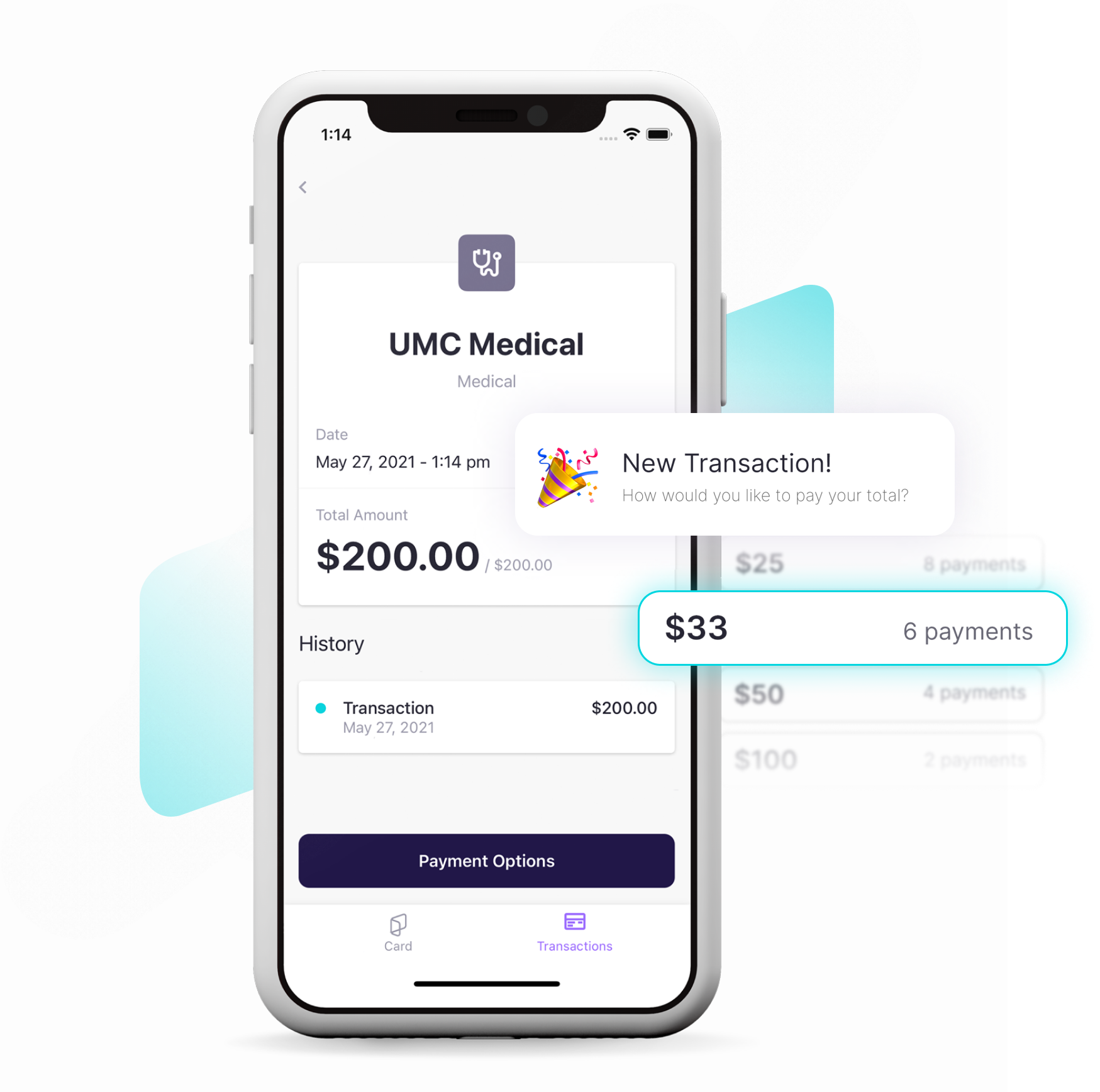
## Click the notification that appears on your home screen.

## Split the transaction into an easy, payroll-deducted payment plan over the amount of time you choose.

## No interest. No fees. No credit check. No, really.

[ Download Now ](https://paytientapp.page.link/returning)

![mockup-2-b 1-1-1](https://pages.paytient.co/hubfs/mockup-2-b%201-1-1.png)

![new tx group](https://pages.paytient.co/hubfs/new%20tx%20group.png)

## Healthcare paid your way

#### Grow your HSA

Continue contributing to your HSA and let that triple tax advantage work for you. You can take advantage of all of your options when it comes to paying for healthcare with Paytient.

#### Planned and prepared

Turn an unexpected out-of-pocket medical expense* into a planned, and affordable, repayment option — for free. Finally, healthcare is back on your terms!

#### We are here for you

Our support team is just a tap away! In-app support is available if you ever have a question, concern, or need to make a change.

Angelica D.

###### Paytient User


### "I appreciate the opportunity to continue my health journey and not have to skip appointments due to high-cost co-pays due at time of service. The payment plan is greatly appreciated & affordable."

Robert C.

###### Paytient User


### "It was so easy to pay my bill and then set up a payment plan. I love how the first payment isn't due the same day. It makes things so easy!"

Monica B.

###### Paytient User


### "The card was easy to use and the app explains everything very clearly. I love the option of automatic payments. Very convenient!"

# Where can I use my Paytient card?

![medical icon](https://pages.paytient.co/hs-fs/hubfs/medical%20icon.png?width=38&name=medical%20icon.png)

#### Medical

You can create interest-free payment plans for you and your family's medical expenses when you receive care from local LCMC Health providers and pay with Paytient.

![pill icon](https://pages.paytient.co/hs-fs/hubfs/pill%20icon.png?width=38&name=pill%20icon.png)

#### Pharmacy

Keep your Paytient card in your purse or wallet, and never forget to use it to purchase prescriptions or over-the-counter medications at your favorite pharmacies.

![glasses icon](https://pages.paytient.co/hs-fs/hubfs/glasses%20icon.png?width=63&name=glasses%20icon.png)

#### Vision

Whether you visit your favorite local optometrist or you're buying contacts or glasses online, you can use Paytient to pay.

![tooth icon](https://pages.paytient.co/hs-fs/hubfs/tooth%20icon.png?width=34&name=tooth%20icon.png)

#### Dental

Shiny teeth are just around the corner. Receive dental care at the provider of your choice, and use Paytient to make the transaction a breeze.

![paw icon](https://pages.paytient.co/hs-fs/hubfs/paw%20icon.png?width=38&name=paw%20icon.png)

#### Veterinary

Furry family members are included in your Paytient plan! Purchase flea/tick medication, teeth cleanings, and more from your pet's favorite veterinarian.

### Local LCMC Health Providers

[

#### Children's Hospital New Orleans

200 Henry Clay Ave.  
New Orleans, LA 70118

](https://www.chnola.org/)

[

#### Touro Infirmary

1401 Foucher Street  
New Orleans, LA 70115

](https://www.touro.com/)

[

#### University Medical Center New Orleans

2000 Canal Street  
New Orleans, LA 70112

](https://www.umcno.org/)

[

#### New Orleans East Hospital

5620 Read Blvd.  
New Orleans, LA 70127

](https://www.noehospital.org/)

[

#### West Jefferson Medical Center

1101 Medical Center Blvd.  
Marrero, LA 70072

](https://www.wjmc.org/)

[

#### East Jefferson General Hospital

4200 Houma Blvd.  
Metairie, LA 70006

](https://ejgh.org/)

[

#### LCMC Health Urgent Care

Click to find an Urgent Care clinic near you

](https://lcmchealthurgentcare.com/)

#### LCMC ED Medicine

Dr. Meyer Group

[

#### Click Here

Learn how you can help bring Paytient to even more of the LCMC Health provider network.

](https://learn.paytient.com/en/articles/6376985-lcmc-outside-provider-contacts)

##### F A Q


# Still Have Questions?

# We've got the answers.


Q.    Where can I use Paytient?

Your Paytient card can be used to pay for medical care at your preferred LCMC Health locations, including Children's Hospital New Orleans, Touro Infirmary, University Medical Center New Orleans, New Orleans East Hospital, West Jefferson Medical Center, East Jefferson General Hospital, and **any** LCMC Health Urgent Care. Additionally, you can use your Paytient card to pay for pharmacy, dental, vision, and veterinary care at the provider of your choice.*


Q.    Can I use Paytient to pay for previous medical bills?

Yes! As long as the bill associated with your LCMC Health Plan is still owed to the provider and not collected by a different party.


Q.    Do I have to connect a bank account?

The default method of repayment for your Paytient plan is payroll deduction. You can choose to connect a bank account, debit, credit, or HSA/FSA card within the Paytient app to make **one-time** payments toward any of your open repayment plans. Our support team can also take payments over the phone and chat.


Q.    Can I use this for my family/dependents?

Absolutely. Furry family members are also included!


Q.    How do I use the virtual Paytient card?

To view your virtual card number, click the purple card in the Paytient app and your card number will appear on your screen. You can add this number to your smartphone's digital wallet or show the card for the doctor or pharmacy to type into their payment system.


Q.    When do I get a physical Paytient card?

Your physical card will arrive at the address on file with your employer within 7-10 business days after you have created your account. In the meantime, your virtual card can be accessed immediately within your account. You also have the ability to add this card to your smartphone's digital wallet for use at medical facilities and pharmacies that accept digital forms of payment (e.g., Apple Pay, Samsung Pay).

Because your virtual and physical cards will have different numbers, your physical card will need to be activated once it arrives.


Q.    How do I activate my Paytient card?

Once your physical card arrives, you'll text the last four digits of your card from your phone to 573-269-3836 to activate! You can also activate your Paytient card within the app by swiping to the white card on your home screen. Once you see that card, press and hold, and then enter the last four digits of your card number.

* Please note that merchants self-select the category in which transactions will be listed and some merchants may be owned by other companies, therefore the transactions may not be categorized as a medical expense as you might expect.


## Ready to get started?


Your account is ready for you!

Create your account to access your new benefit. 

[ Create Account ](https://paytientapp.page.link/returning)

## Team Member Name

**

![team-member](https://cdn2.hubspot.net/hubfs/5377389/theme/images/stock-images/team-member-1.png)

Team member bio information.